Posts

Showing posts with the label 40Gbps

The Unifying Trend of USB-C

Image
USB-C has emerged as the most widely used physical interface for 3C digital devices. The EU's Common Charger certification has even introduced regulations mandating USB-C as the sole designated interface for 13 categories of devices. Apple's iPhone 15 series, released in September 2023, abandoned Lightning in favor of the USB-C interface, marking the first time iPhones and Android phones share a compatible connector. As an intelligent interface that combines fast data transfer and charging, the widespread adoption and unification of USB-C will undoubtedly drive the application of USB4. ... Learn more her https://www.ankmax.com/newsinfo/6997671.html

USB4 CPU Controller

Image
It's worth noting that while Thunderbolt 4 and USB4 both use the Type-C connector and offer a maximum speed of 40Gbps, they differ in certain aspects. For instance, Thunderbolt 4 ports are marked with a Thunderbolt symbol, whereas USB4 ports lack any such marking. Additionally, USB4 comes in two versions: USB4 20 and USB4 40, representing transmission speeds of 20Gbps and 40Gbps, respectively. On September 1, 2022, the USB-IF officially announced the new generation of the data interface specification, USB4 2.0 version, supporting up to 80Gbps data transmission rate. Currently, devices equipped with Apple's M1 and M2 chips, AMD Ryzen 6000 series APUs, and Intel's 11th Gen Tiger Lake H processors support USB4. ... Learn more here https://www.ankmax.com/newsinfo/6997671.html

USB4 CPU Controller

Image
The widespread adoption of USB4 hinges on leading international chip manufacturers like AMD, Intel, and Apple. Theoretically, any device that supports Thunderbolt 4 can also support USB4. Both Thunderbolt 4 and USB4 are built on the Thunderbolt 3 underlying protocol, offering complementarity and compatibility. In simple terms, Thunderbolt 4 further enhances performance thresholds and expands functionality, meeting USB4 specification requirements, resulting in a better experience for devices supporting Thunderbolt 4. On the other hand, USB4 boasts stronger universality and lower requirements. ... Learn more here https://www.ankmax.com/newsinfo/6997671.html

USB4 Main Control Chip

Image
As the "brain" of USB4 terminal equipment, the importance of the main control chip is self-evident. Currently, according to the categories of USB4 terminal equipment, the main control chips have also differentiated into different types to adapt to terminal applications. The following is an introduction to the USB4 main control chip. ... Learn more here https://www.ankmax.com/newsinfo/6997671.html

USB4 Hard Drive Enclosure

Image
With the popularization of 4K videos and the continuous increase in file size, users have increasing demand for the capacity of computers and mobile phones, and it is easy to have capacity anxiety problems. The combination of USB4 hard drive enclosures and M.2 solid-state drives has gradually become one of the most popular expansion methods for users. In addition to good portability, it also supports multi-device use and data transfer such as camera external recording, computer capacity expansion, and data storage, basically covering various daily usage scenarios. ... Learn more here https://www.ankmax.com/newsinfo/6997671.html

USB4 Hard Drive Enclosure

Image
After Intel freely opened the Thunderbolt 3 protocol to the USB Association, USB4 data cables, docking stations, hard drive enclosures, and other accessories with the same 40Gbps transmission specification as Thunderbolt 3 emerged, resulting in a higher overall cost-effectiveness. ... Learn more here https://www.ankmax.com/newsinfo/6997671.html

USB4 Terminal Equipment

Image
The current types of USB4 terminal equipment are not too many, mainly concentrated on laptops, docking stations, hard drive enclosures, and data cables. ... Learn more here   https://www.ankmax.com/newsinfo/6997671.html

優れた熱管理

Image
· 耐久性と最大の熱放散を実現する固体アルミニウム構造により、パフォーマンス、信頼性、最高速度の究極の組み合わせが可能になります。 · SSDと貴重なデータの安全を確保するために、短絡、過電流、および多重保護が組み込まれています。 ...... 詳細はこちら https://www.amazon.co.jp/dp/B0CGRBW1HV/

Great Heat Management

Image
· Solid aluminum construction for durability and Maximum heat dissipation allows for the ultimate combination of performance, reliability, and extreme speed. · Built with short-circuit, over-current, and multi-protection to ensure safety for your SSD and valuable data. ... Learn more here https://www.amazon.com/dp/B0CGRRJLT4/

The Power of USB 4 and NVMe

Image
· Elevate your storage tasks to ultimate heights on PCs and Macs with ANKMAX's fastest-ever portable USB4 enclosure with NVMe SSD. Designed with a USB 4 port that delivers up to 40 Gb/s, supports cross-platform operating systems such as Windows /Mac /Linux/iPad Pro. · The UC4M3 is perfect for tech-savvy professionals who want to render or compile high-resolution content without missing a beat. ... Learn more here https://www.amazon.com/dp/B0CGRRJLT4/

A picture to understand the difference between USB4, USB4 v2.0 and Thunderbolt4

Image
A picture to understand the difference between USB4, USB4 v2.0 and Thunderbolt4 The USB-IF organization recently announced the upcoming launch of the USB4 v2.0 specification, which is an upgraded version of the USB4 specification, mainly adding an 80Gbps active cable standard, doubling the speed and making it the fastest interface at present. Counting USB4 v2.0, plus the existing USB 1.1 to USB4, as well as the thunderbolt interface, there are at least six or seven types of USB interfaces that everyone can see. Each standard speed and physical interface are Different, how to distinguish? This makes many people have a headache. Today, through a few comparison pictures, we can clearly compare the differences between the USB and Thunderbolt interfaces of the past dynasties. ... Learn more here https://www.ankmax.com/newsinfo/4460425.html

The new macOS Ventura improves the access security of external

Image
USB/Thunderbolt devicesApple officially released macOS Ventura includes new productivity tools and Continuity features that make the Mac experience better than ever. We encourage all Ankmax users who meet the upgrade conditions to upgrade their Macs to macOS 13 Ventura for the best possible experience. This new OS version has resolved small compatibility issues with external devices, and offers a better user  experience, especially for people connecting USB4 enclosure to their Macs .... Learn more here  https://www.ankmax.com/newsinfo/4559667.html

最新の NVMe PCIe5 SSD の比較

Image
最近、いくつかの SSD メーカーが次世代 PCIe Gen 5 SSD コントローラーに関するニュースをリリースしました。Phison (E26)、Silicon Motion Huirong (SM2508)、Samsung (PM1743)、InnoGrit (IG5666)、Marvell (MV-SS1331 および MV-SS1333)、日本の Kioxia およびその他のメーカーを含む。それらはすべて、PCIe 5.0 SSD マスターを積極的に開発しています。 将来的には、Samsung、ADATA、APACER、TeamGroup、Kioxia、Corsair、Seagate、WD などのメーカーのハイエンド製品ラインに最新の PCIe Gen 5 SSD が登場することが予想されます。 ...... 詳細はこちら https://www.ankmax.com/newsinfo/4288990.html

Comparison of the latest NVMe PCIe5 SSDs

Image
Recently, several SSD manufacturers have released news for their next-generation PCIe Gen 5 SSD controllers, including Phison (E26), Silicon Motion (SM2508), Samsung (PM1743), InnoGrit (IG5666) , Marvell (MV-SS1331 and MV-SS1333) and Japanese of Kioxia, ect manufacturers, They are all actively developing PCIe 5.0 SSD master control. In the future, we are expected to see the latest PCIe Gen 5 SSDs in the high-end product lines of Samsung, ADATA, APACER, TeamGroup, Kioxia, Corsair, Seagate, WD and other manufacturers. ... Learn more here https://www.ankmax.com/newsinfo/4288990.html

A New PCIe 5.0 M.2 2280 4TB SSD Launched - Gigabyte Aorus Gen5 10000

Image
Up to 10GB/s read speed, with Phison PS5026-E26 controller Samsung just launched its highly anticipated 990 Pro series of SSDs. These are high-performance NVMe M.2 2280 SSDs "optimized for gaming and creative applications." Ahead of this launch, there were indications that Samsung's 990 Pro series SSDs would feature a PCIe 5.0 interface; however, this has yet to materialize. The new Samsung 990 Pro series SSDs use the PCIe 4.0 interface. The sequential read and write speeds of the 990 Pro SSD are up to 7,450 MB/s and 6,900 MB/s, respectively, and the IOPS performance figures are 55% higher than the 980 Pro SSD. ... Learn more here https://www.ankmax.com/newsinfo/4270887.html

Samsung の次世代 990 PRO PCIe Gen 5.0 M.2 SSD は 13,000 MB/秒に達し、ストレージ速度を新たな高みへと押し上げます

Image
Samsung 990 Pro は、PCI-SIG Web サイトで以前に公開された PCIe 5.0 速度をサポートする最初の消費者向け NVMe SSD になります。 1 TB モデルと 2 TB モデルの 2 つの SSD 構成があり、Samsung 独自のソリューションを使用して次世代 SSD ソリューションを強化します。 ...... 詳細はこちら https://www.ankmax.com/newsinfo/3625988.html

Samsung's next-generation 990 PRO PCIe Gen 5.0 M.2 SSD can reach 13,000 MB/s, pushing storage speed to new heights

Image
The Samsung 990 Pro will be the first consumer NVMe SSD to support PCIe 5.0 speeds, previously disclosed on the PCI-SIG website. We saw two SSD configurations, the 1 TB and 2 TB models, which will use Samsung's own proprietary solutions to power its next-generation SSD solutions. ... Learn more here https://www.ankmax.com/newsinfo/3625988.html

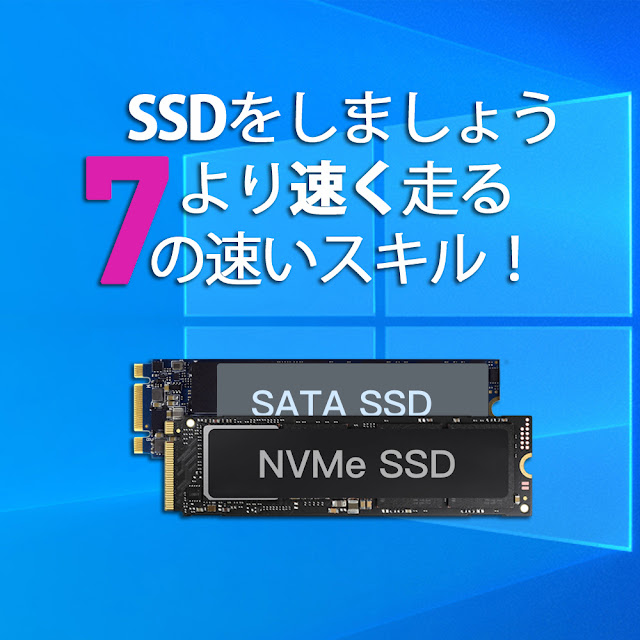
SSDをより速く実行するための7つのクイックヒント!

Image
「ソリッドステートドライブ(SanDisk Ultra 2 SSD)の起動に時間がかかりますが、今ではほとんどHDDのようです。私のゲームはますますゆっくりとロードされています。これを修正してOSを再インストールすることは可能ですか?または他に何ができますか?」 コンピューターでSSD(ソリッドステートドライブ)を使用したことがある場合、特にSanDiskまたはSamsung SSDがほぼいっぱいになると、速度が低下するため、同様の問題が発生する可能性があります。そうすると、アプリやプログラムを開いたりロードしたりするのに時間がかかることがわかります。さらに悪いことに、それは時々凍結の問題を引き起こします。今、あなたはおそらく尋ねているかもしれません:SSDはより速く動くことになっているのではないですか?WindowsコンピューターでSSDの速度を低下させるための実行可能な解決策はありますか?答えはイエスです。 7 Windows 11/10/8/7でSSDをより高速に実行するための簡単なコツ Windows 7、8、8.1、10、または11ベースのコンピューターで使用しているソリッドステートドライブに関係なく、Samsung、SanDisk、Kingston SSD、その他の有名なソリッドステートドライブなど。次の7つのヒントは、SSDの低速の問題を解決するのに役立ちます。 (例として、Windows10がこれをどのように処理するかを見てみましょう。これらの方法は、Windows 7/8 /8.1でも機能します) ...... 詳細はこちら https://www.ankmax.com/newsinfo/2808150.html

いつ必要ですかSSDアライメントWindows 10/11?

Image
SSDはデータを保存するためにファイルシステムで最小の4Kセクターを採用しているため、SSDアライメントは主にSSDパーティションの4Kアライメントを指します。最小の4K割り当てユニットがSSDの4Kページと常に一致していない場合、SSDのパフォーマンスに影響を与える可能性があります。4Kアライメントは、高度なフォーマットのメカニカルハードディスクでも広く使用されています。4Kアラインされたパーティションは、オペレーティングシステムにより優れたサービスを提供し、より高いパフォーマンスを提供します。クローン作成後にWindows10を調整する必要がある場合があります。 SSDの位置合わせが正しくないことを示す兆候がいくつかあります。たとえば、既知の小さなファイルがデータパーティションの大容量ディスクストレージを占有したり、ハードドライブをSSDにアップグレードしただけでも、システムプログラムやアプリケーションの実行速度が低下したりします。このまま続けると、不要な書き込み操作が大幅に増え、SSDの寿命が短くなります。 ...... 詳細はこちら https://www.ankmax.com/newsinfo/2806056.html

When do you need SSD alignment in Windows 10/11?

Image
SSD alignment mostly refers to SSD partition 4K alignment because SSD adopt the smallest 4K sector in file system to save data. If the smallest 4K allocation units are not always aligned with the 4K pages in SSD, the performance of SSD could be affected. 4K alignment also is widely used in advanced formatted mechanical hard disk. 4K aligned partition better serves operating systems and offers higher performance. One may need to align Windows 10 after clone. There are some signs that show your SSD alignment not OK. For instance, known small file occupies large disk storage in data partition, or system programs and applications run slowly even if you just upgrade hard drive to SSD. If things continue this way, the number of unnecessary writing operations will increase dramatically, which shortens SSD lifespan eventually. ... Learn more here    https://www.ankmax.com/newsinfo/2806056.html